using UnityEngine;

public class PlayerMove : MonoBehaviour
{
   public float speed = 5;

   void Update()
   {
      float h = Input.GetAxis("Horizontal");
      float v = Input.GetAxis("Vertical");
      Vector3 dir =  new Vector3(h, v, 0);

      transform.position += dir * speed * Time.deltaTime;
   }
}
2. 총알
1. 총알 이동
using UnityEngine;

public class Bullet : MonoBehaviour
{
    public float speed = 5;

    void Update()
    {
        Vector3 dir = Vector3.up;

        transform.position += dir * speed * Time.deltaTime;
    }
}
2. 총알 발사
using UnityEngine;

public class PlayerFire : MonoBehaviour
{
    public GameObject bulletFactory;
    public GameObject firePosition;

    void Update()
    {
        if (Input.GetButtonDown("Fire1"))
        {
            GameObject bullet = Instantiate(bulletFactory);
            bullet.transform.position = firePosition.transform.position; // 위치 초기화
        }
    }
}
GetButtonDown 함수의 인자값인 "Fire1"은 사용자 입력처리인 Input Mnager에 등록되어 있다.
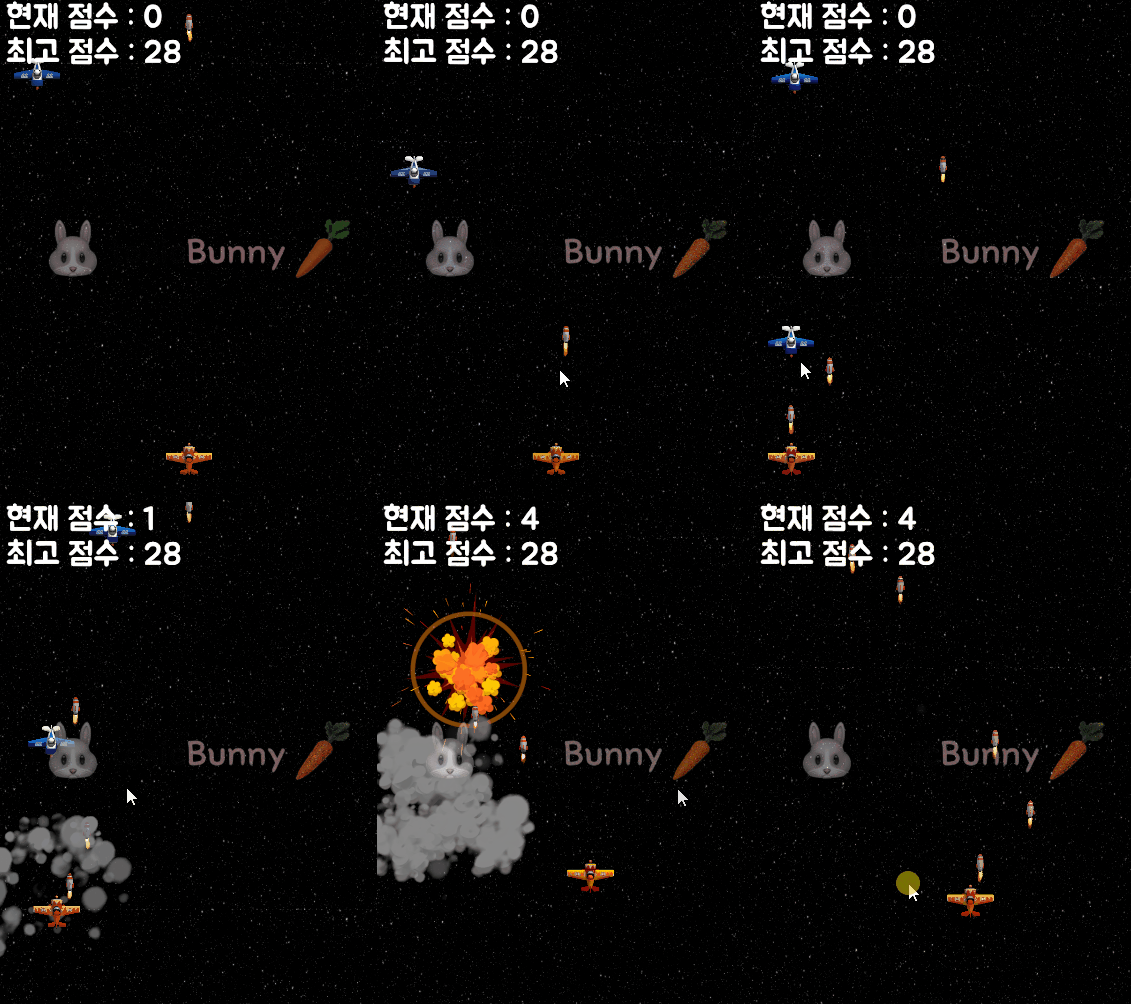
마우스 왼 클릭을 하면 총알이 발사되는 구조이다.
3. 적
1. 적 이동 & 충돌
using System;
using UnityEngine;

public class Enemy : MonoBehaviour
{
    private Vector3 dir;
    public float speed = 5;

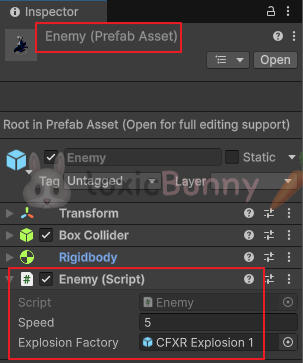
    public GameObject explosionFactory;

    void Start()
    {
        int ranValue = UnityEngine.Random.Range(0, 10);

        if (ranValue < 3) // 30%
        {
            GameObject target = GameObject.Find("Player");
            dir = target.transform.position - transform.position; // 플레이어를 바라보는 방향 값
            dir.Normalize();
        }
        else // 70%
        {
            dir = Vector3.down;
        }
    }

    void Update()
    {
        transform.position += dir * speed * Time.deltaTime;
    }

    private void OnCollisionEnter(Collision other)
    {
        //// 점수 증가
        GameObject smObject = GameObject.Find("ScoreManager");
        ScoreManager sm = smObject.GetComponent<ScoreManager>();

        // sm.SetScore(sm.GetScore() + 1); // 책에 적힌 거
        var score = sm.GetScore() + 1;
        sm.SetScore(score);

        // 파티클 생성
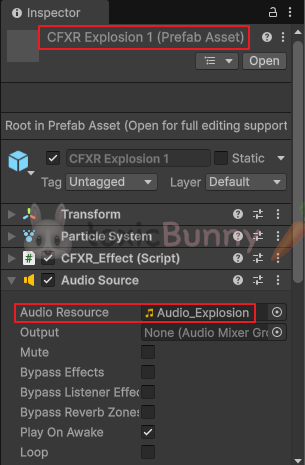
        GameObject explosion = Instantiate(explosionFactory);
        explosion.transform.position = transform.position;

        // 파괴 기능
        Destroy(other.gameObject);
        Destroy(gameObject);
    }
}
2. 적 자동 생성
using UnityEngine;

public class EnemyManager : MonoBehaviour
{
    private float currentTime; // 타이머

    private float minTime = 1;
    private float maxTime = 5;

    public float createTime = 1f; // 생성 주기

    public GameObject enemyFactory;

    void Start()
    {
        createTime = Random.Range(minTime, maxTime);
    }

    void Update()
    {
        currentTime += Time.deltaTime;

        if (currentTime > createTime) // 타이머가 생성 주기를 넘었다면
        {
            // 생성
            GameObject enemy = Instantiate(enemyFactory);
            enemy.transform.position = transform.position;

            // 타이머 초기화
            currentTime = 0f;
        }
    }
}
3. Destroy Zone
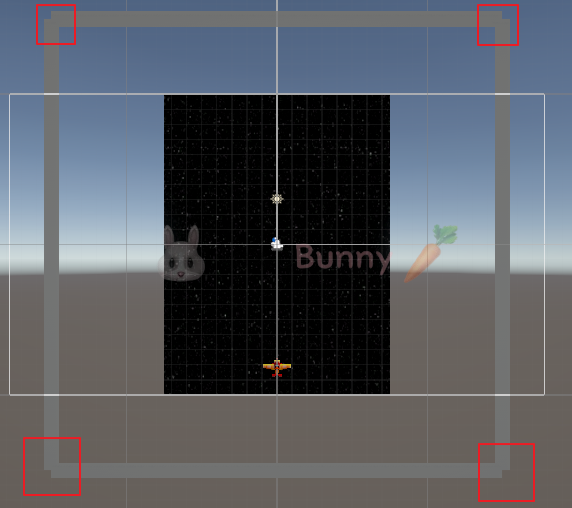
화면을 벗어나는 물체(총알, 적)를 제거해 메모리 낭비를 막아주려고 한다.
우선 일정 거리를 지나치면 자동으로 제거되도록 하기 위해 화면 바깥쪽에 보이지 않는 벽 오브젝트(Trigger)를 배치했고, 총알이나 적이 이 벽과 충돌하면 해당 오브젝트를 제거하도록 했다.
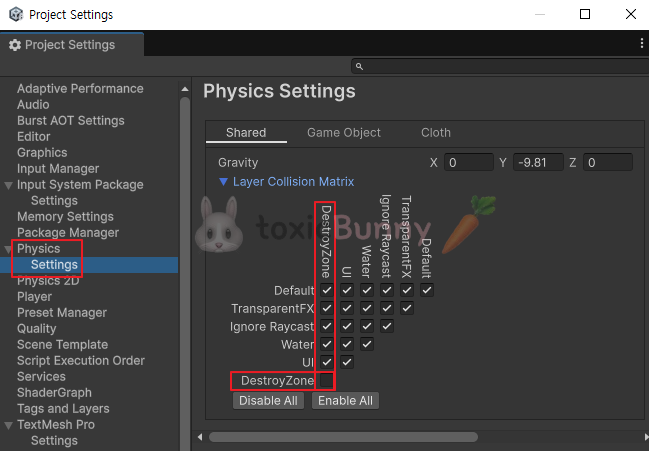
그런데 벽끼리도 충돌을 감지해서 서로 제거되는 문제가 있어서, Physics Settings > Layer Collision Matrix에서 벽(Layer)끼리의 충돌 체크를 해제해 불필요한 충돌이 발생하지 않도록 설정했다.
using UnityEngine;

public class DestroyZone : MonoBehaviour
{
    private void OnTriggerEnter(Collider other)
    {
        Destroy(other.gameObject);
    }
}
4. 배경 & UI
1. 무한 배경 맵
using UnityEngine;

public class Background : MonoBehaviour
{
    public Material bgMaterial;

    public float scrollSpeed = 0.2f;

    void Update()
    {
        Vector2 direction = Vector2.up;

        bgMaterial.mainTextureOffset += direction * scrollSpeed * Time.deltaTime;
    }
}
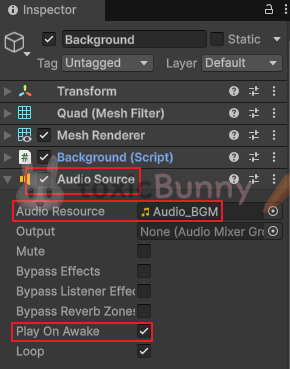
배경에 스크롤 기능을 추가해서 이동하는 시각 효과를 주었고
배경음악도 같이 넣어주었다.
2. Score UI
using TMPro;
using UnityEngine;

public class ScoreManager : MonoBehaviour
{
    public TextMeshProUGUI currentScoreUI;
    public TextMeshProUGUI bestScoreUI;

    private int currentScore;
    private int bestScore;

    void Start()
    {
        bestScore = PlayerPrefs.GetInt("BestScore", 0);

        bestScoreUI.text = "최고 점수 : " + bestScore;
    }

    public void SetScore(int value)
    {
        currentScore = value;

        currentScoreUI.text = "현재 점수 : " + currentScore;

        if (currentScore > bestScore)
        {
            bestScore = currentScore;
            bestScoreUI.text = "최고 점수 : " + bestScore;

            PlayerPrefs.SetInt("BestScore", bestScore);
        }
    }

    public int GetScore()
    {
        return currentScore;
    }
}